
What Is a Company Feed and How Does It Work?

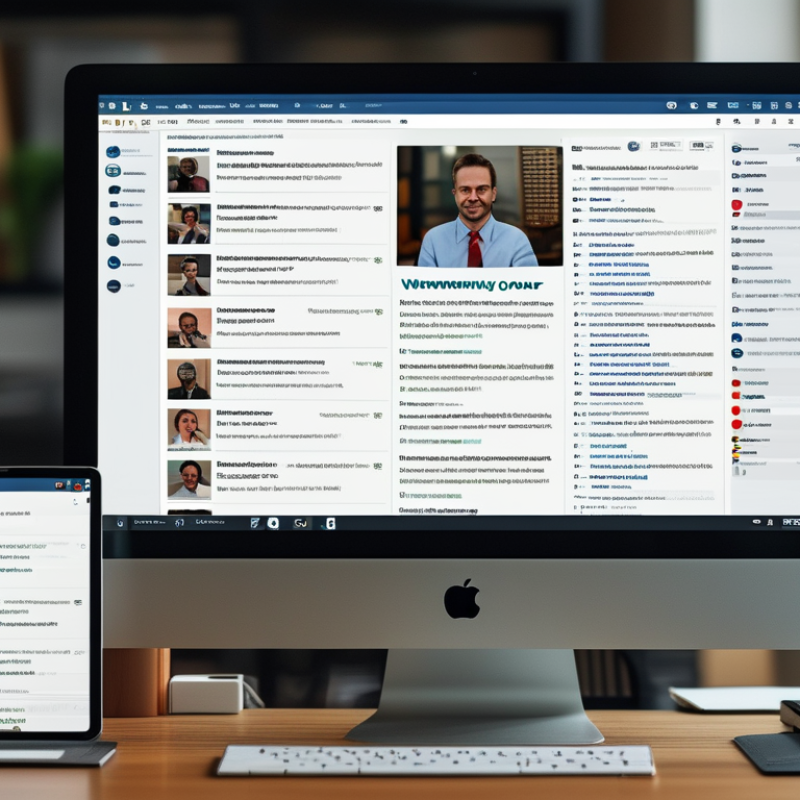
A company feed is a central stream for sharing updates, decisions, and useful information across an organization. It may appear inside an employee app, intranet, collaboration platform, or customer-facing portal. Instead of searching through scattered emails, people can follow one organized flow. The company feed might display a product launch, a policy reminder, a team achievement, or a short video from leadership.

In practice, the system collects approved posts and presents them to selected audiences. Administrators usually control permissions, publishing schedules, categories, and notification settings. Employees may react, comment, save posts, or ask questions. For example, a regional sales team could receive a campaign update while the finance department sees a budget notice. Good feeds make information timely without making every message urgent.

However, a feed is not automatically effective. Too many alerts can create fatigue, while vague posts may increase confusion. Some platforms also rank content algorithmically, so important updates might receive less visibility than popular ones. This weakness deserves attention. Clear ownership, reliable sources, accessibility checks, and regular content reviews help maintain trust. Teams should measure engagement, but they should also examine whether employees understand and use the information. A quiet feed is not always a failed feed. It may signal clarity, limited relevance, or an uninviting communication culture. Understanding how a company feed works means examining both its technology and its human impact.
What Is a Company Feed and How Does It Work?

Definition and Purpose of a Company Feed

A company feed is a shared stream for workplace updates, announcements, and useful knowledge. It may show project milestones, policy changes, team achievements, or short operational notes. Its purpose is simple: keep people informed without forcing every message into a meeting or private chat.

In practice, authorized employees publish updates with a timestamp, topic, and supporting details. Colleagues can read, respond, or follow important posts. A well-managed feed creates a searchable record of decisions and progress. It also helps remote teams see what is happening across departments. However, a feed can become noisy. Too many minor updates may hide urgent information. It cannot replace careful conversations when a topic is sensitive or complex. I have found that clear labels and consistent posting habits matter more than frequent activity. This is an area worth reviewing regularly.

Tips: Use specific titles, short paragraphs, and plain language. Add dates, owners, and relevant documents when needed. Separate urgent notices from routine updates. Review older posts for accuracy, because outdated guidance can create confusion. Invite corrections respectfully. A small mistake in a feed may spread quickly. Controls for access and editing also support trust, especially when information changes often.

Key Features and Types of Company Feeds

A company feed is a shared stream for workplace updates, knowledge, and conversations. It brings announcements, project changes, documents, and employee questions into one visible space.

Key features include real-time publishing, comments, reactions, search, notifications, and access controls. Personalization can show relevant teams without hiding essential notices. Strong feeds also keep an edit history, making corrections easier to trace.

Permissions matter. A 2024 State of the Global Workplace report recorded global employee engagement at only 23%, showing why timely communication still needs careful design.

Company feeds usually take several forms.

A news feed distributes leadership messages, policy updates, and urgent notices. A social feed supports recognition, informal discussion, and shared learning.

A project feed tracks deadlines, decisions, files, and blockers. A knowledge feed organizes guides, answers, and expert insights for later retrieval.

Data from the 2024 Work Trend Index found that 75% of knowledge workers use artificial intelligence at work, increasing the need for searchable, well-governed information.

Yet more automation does not guarantee clarity. A crowded feed can reward speed over accuracy.

Tips:

Set posting rules, define audience permissions, and pin only essential updates. Use clear labels such as “Decision,” “Action,” or “Reference.”

Review analytics monthly, but do not treat clicks as understanding. Ask employees what they missed.

Some posts will still disappear too quickly. That is a design weakness worth admitting.

Keep important information in durable records, not only in the feed.

How Information Moves Through a Company Feed

What Is a Company Feed and How Does It Work?

How Information Moves Through a Company Feed

A company feed is a shared stream for workplace updates, questions, files, and decisions. Information usually begins with a person, team, or approved system. An employee posts a project change, meeting note, or customer insight. The feed then delivers that update to selected colleagues through permissions, groups, or departments. Readers can react, comment, ask for clarification, or share related documents. This creates movement in several directions, rather than a one-way announcement. In practice, a clear post often saves several private messages. Small details matter. A useful update states the owner, deadline, and next action.

Information does not move perfectly. Important posts may disappear beneath routine announcements. I have seen teams mistake quick reactions for real agreement. A feed also depends on human judgment. Employees should check dates, sources, and access settings before acting. Managers can improve reliability by labeling urgent items and correcting unclear information openly. Comments add valuable context, but they can also create confusion when no decision is recorded. A short follow-up note can preserve the final answer for people who join later.

Tips: Write one idea per post. Use specific titles. Tag only relevant colleagues. Attach the latest file version. Mark decisions clearly. Review old posts regularly, because yesterday’s accurate information may need revision. Do not treat every notification as urgent. That habit creates noise. A brief weekly review can reveal unanswered questions, repeated updates, and information that still lacks an owner.

How Employees Use and Manage Feed Content

A company feed is a shared stream for updates, questions, and everyday knowledge. Employees may see policy changes, project notes, event reminders, or a colleague’s short report. It works best when posts arrive at the right time. A clear headline helps people decide what deserves attention. Many employees check the feed during a morning planning routine or before a team meeting.

Employees also manage content through comments, reactions, saved posts, and notifications. A useful comment adds context instead of repeating the original message. For example, a project member might attach a revised deadline and explain the reason. Employees should check dates, sources, and permissions before sharing information. Private employee details should never appear in a public feed. Small mistakes can spread quickly.

Managers need practical rules for quality and trust. They can assign content owners, set review dates, and remove outdated notices. A simple label system can separate urgent updates from general discussion. Employees should report unclear posts rather than silently guessing. That habit improves accuracy, although it may slow conversations slightly. Feeds can also become noisy when every message receives immediate attention. I have found that fewer, better posts usually support stronger decisions. Still, teams should review their rules regularly, because a process that works for ten people may frustrate one hundred.

Benefits, Limitations, and Best Practices

A company feed is a shared stream for workplace updates, announcements, questions, and useful resources. It usually works through posts, comments, reactions, and searchable archives. When an employee publishes an update, selected teams or the whole organization can view it instantly. In practice, the feed becomes a digital noticeboard, especially for distributed teams. A clear post can replace several scattered messages.

The main benefit is visibility. Employees can find policy changes, project milestones, and operational reminders in one place. Public discussions may also reduce repeated questions and preserve practical knowledge. However, a feed can become noisy. Frequent low-value posts may hide urgent information. Employees might also hesitate to comment when managers dominate discussions. I have seen active feeds lose trust because updates lacked owners, dates, or clear next steps. Engagement alone is not proof of effectiveness.

Good practice starts with defined publishing rules. Posts should use specific titles, short paragraphs, and relevant audience settings. Important updates need an owner, a review date, and a contact person. Sensitive information should follow internal access controls. Managers should model respectful, evidence-based communication without turning every post into an advertisement. Measure useful outcomes, such as faster responses or fewer repeated requests. Some metrics can mislead. A quiet feed may still support efficient work, while a busy feed may signal confusion. Regularly review both patterns and employee feedback.